
Yes, but only when they tell the truth. A bouncing dot bubble or a streaming line of text genuinely raises how present and attentive an AI companion feels, mostly by turning dead air into something readable. The problem shows up when a platform fakes a delay to seem more human, or leaves an indicator spinning past 15 seconds with no explanation. That gap between honest pacing and staged hesitation is exactly what the checklist below is built to catch.
TL;DR:
- Fake delays with no relation to actual processing time are obvious red flags and undermine the sense of honesty in AI chat interfaces.
- Using streaming text for longer responses and limiting typing indicator durations to 10-15 seconds improves perceived realism and reduces user frustration.
- Indicators should be placed within the message thread, and long replies should offer a stop or cancel option to maintain trust.
- Testing chat apps with short messages, complex prompts, and reduced motion settings quickly reveals whether delays are scripted or genuinely responsive.
- Virtualship evaluates platforms on timing, honesty, and long-reply handling, providing a ready comparison for assessing AI companion app trustworthiness.
Table of Contents
- What Do Typing Indicators in AI Chat Actually Signal?
- Why Timing and Honesty Matter More in Companion Apps
- What Makes a Typing Indicator Trustworthy Design
- What the Research Says About Expressive Typing Behavior
- How to Test Typing Behavior on Any Companion App in Under Five Minutes
- Where to Read Documented Typing-Behavior Tests
- Sources
- FAQ
What Do Typing Indicators in AI Chat Actually Signal?
Three patterns dominate AI chat right now, and they signal three different things to your brain.
The classic three-dot bubble says “something is being composed.” It’s a placeholder, not a preview, and it works best for genuinely short waits. Token-by-token streaming, where words appear one after another as if being typed live, says “read as I go.” It’s the pattern behind most modern chatbot interfaces because it converts idle waiting into active reading. Playback of keystrokes, sometimes called TypeTrace, goes further still: it replays the actual rhythm of typing, including pauses and corrections, to mimic a real person composing in real time.
Each implies a different mental model:
- Dots imply processing or queuing, not necessarily active composition.
- Streaming implies the response already exists and is being revealed progressively.
- Playback implies a person (or a simulated one) typing this exact message right now, in this exact moment.
Design guidance from UXPin’s chat interface research recommends a simple split: use a typing indicator for short waits, and switch to streaming once a response takes longer than a brief threshold. Anything that keeps a static “typing…” bubble spinning for ten or fifteen seconds without progress starts to feel less like anticipation and more like being ignored.
Why Timing and Honesty Matter More in Companion Apps
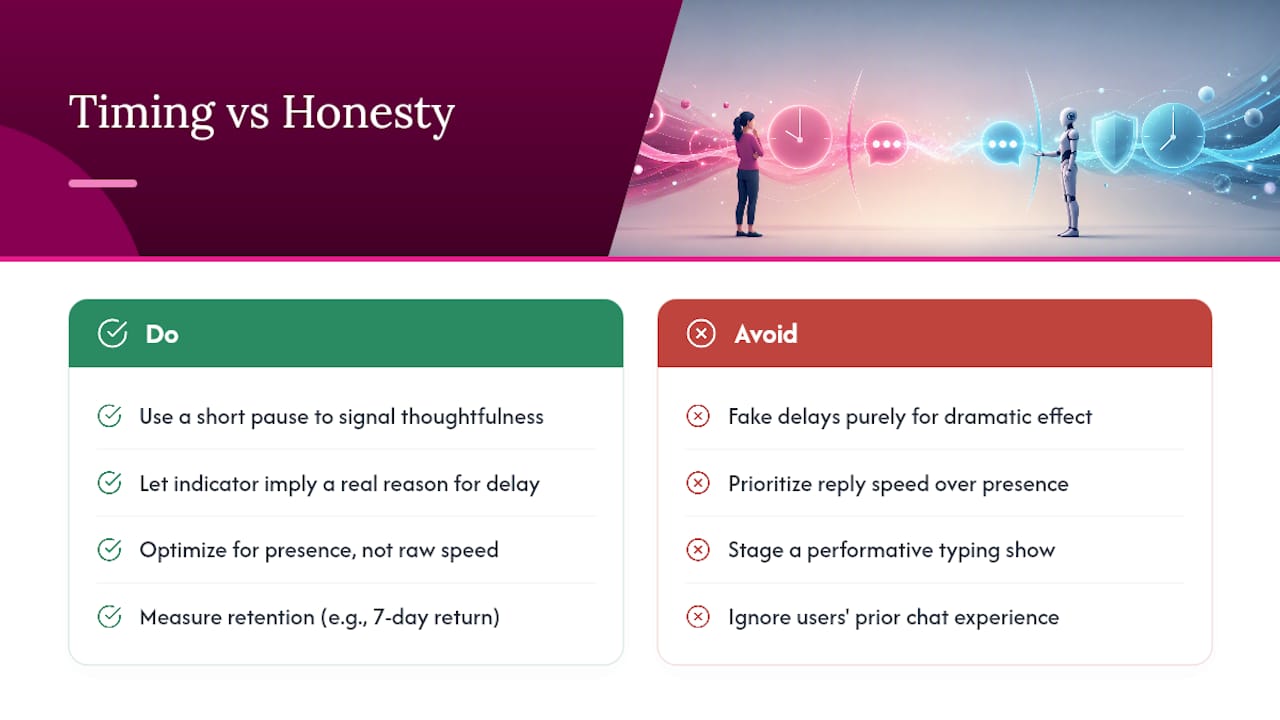
A companion app isn’t a customer service bot. The whole point is emotional presence, so timing behavior carries weight that it wouldn’t in a task-oriented tool. A short pause before a reply can read as thoughtfulness. A three-dot bubble that lingers just long enough to build anticipation can genuinely feel like being cared about, not stalled.
That same mechanic turns manipulative fast. Research on graphical typing indicators found they raise perceived social presence for less experienced users, but the effect swings hard depending on design and how much chat experience someone already has. Fake a delay purely for dramatic effect, with no underlying reason for it, and you’re not building intimacy. You’re staging a performance the user eventually notices.
Typing indicators function as uncertain indices that create suspense and attentional presence. Designers have to balance anticipation against honesty, or the effect tips into something closer to uncanny than caring.
Companion product strategy backs this up: teams building these apps are told to optimize for presence over raw speed, tracking things like whether someone returns after seven days rather than how fast a reply lands. Speed is not the metric that keeps someone coming back. Feeling attended to is.
What Makes a Typing Indicator Trustworthy Design
Good typing behavior is mostly invisible when it works and glaringly obvious when it doesn’t. A handful of rules separate the two.
- Place the indicator inside the message thread, exactly where the reply bubble will land. Indicators that float outside the transcript or shift the layout when the real message arrives create a jarring flicker that undercuts the illusion entirely, according to 21st.
- Cap the duration, generally in the 10 to 15 second range. Past that window, show something more specific, like “queued” or an error state, rather than letting the same animation run indefinitely.
- Give long responses an escape hatch. A “stop generating” control matters once a reply stretches past a few seconds, because forcing someone to sit through a full generation they no longer want is its own kind of dishonesty.
- Respect reduced motion settings and announce the indicator’s appearance and disappearance once through a screen reader live region, not repeatedly, per 21st.
- Switch to streaming for anything long. A blinking cursor at the end of streaming text tells the reader more is coming without forcing a static wait.
Pro Tip: If a platform’s typing bubble never changes speed no matter what you send it, one word or a paragraph, that’s a strong sign the delay is scripted rather than tied to actual response length.
The self-editing detail matters too. Combining a brief hesitation with a visible correction, like a word appearing then getting swapped, reads as more natural than hesitation alone, based on behavioral simulation research. A pause by itself doesn’t do much for likability. A pause followed by a visible edit does.
What the Research Says About Expressive Typing Behavior
The evidence on expressive indicators is more mixed than most marketing pages let on, and that nuance is worth knowing before you judge a platform’s typing behavior.
Graphical indicators boost perceived social presence, but mainly for people newer to chat interfaces, and the effect depends heavily on execution. Playback of typing, the TypeTrace approach, adds a layer of intimacy and richness that a plain dot bubble can’t match. It can also backfire: forcing someone to wait for a full keystroke replay to finish sometimes lowers satisfaction compared with just getting the message, according to Frontiers in Psychology research on typing playback. Streaming text tends to be the safest middle ground, since usability studies show it converts waiting into reading and softens the frustration of long response times, per Lovable’s chatbot UI guidance.
| Pattern | Main benefit | Main risk |
|---|---|---|
| Three-dot bubble | Simple, familiar, fast to implement | Feels dishonest if it runs long with no progress |
| Streaming text | Converts wait time into reading time | Needs a stop control for very long replies |
| Keystroke playback | Adds intimacy and perceived richness | Can force an unwanted wait before the message lands |
None of these patterns is universally better. The right one depends on how long the actual response takes to generate and how much the platform is willing to be upfront about that.
How to Test Typing Behavior on Any Companion App in Under Five Minutes
Most of this you can check on a free trial or demo account before spending a dollar.
- Send a short message and time the typing indicator against the actual reply length. If a one-word reply takes as long as a three-paragraph one, the delay is scripted.
- Send something that should require more “thinking” (a complex roleplay prompt) and see if the platform distinguishes queued, generating, and streaming states, or just shows one generic animation for everything.
- Check whether the indicator sits inside the message thread or causes any layout jump when the real reply lands.
- Try triggering a long response and look for a stop or cancel control.
- Turn on your device’s reduced-motion setting and see if the app respects it.
Pro Tip: Ask support directly: “Does your typing indicator reflect actual processing time, or is it a fixed delay?” A platform confident in its own design will answer plainly. Evasive answers are the red flag itself.
Run the same five checks across two or three apps back to back and you’ll usually spot the difference within minutes, not sessions.
Where to Read Documented Typing-Behavior Tests
Running that checklist yourself across a dozen platforms takes real time, which is the exact gap Virtualship’s comparisons close. Virtualship’s UX evaluations go through the same timing and honesty checks outlined above, on top of pricing, personalization, and privacy, so you get a shortlist instead of a spreadsheet of open tabs.

The reviews cover streaming behavior, indicator honesty, and how a platform handles long replies, alongside deeper looks at persona and memory settings through the character builder guide and trust fundamentals through the AI companion safety guide. If timing and message pacing also matter to you outside of AI chat specifically, Pingher’s research on automated messaging looks at how delivery timing shapes perceived intimacy in couples’ messaging more broadly. Run the five-minute checklist on two or three apps, then check Virtualship’s comparison page to see how they stack up against platforms already put through the same tests.
Sources
- Advanced behavioral simulations (HCI research) — DOI:10.1145/3640794.3665560
- Typing indicators and social presence (SIG HCI 2018 paper)
- Playback of typing and social presence (Frontiers in Psychology, 2021)
- Chat UI design patterns and typing indicator guidance (UXPin, 2026)
- 21st
FAQ
Do typing indicators actually make AI feel more human?
Yes, especially for streaming text and dot bubbles used on short waits, since they turn silence into a sign that something is happening. The effect depends on execution though, and research on graphical indicators shows the boost is strongest for people newer to chat interfaces.
Is it dishonest for an AI companion to fake a typing delay?
It becomes dishonest when the delay has no relationship to actual processing time and exists purely for dramatic effect. A short, consistent pause tied to message complexity is different from a scripted delay meant to simulate a busy, thoughtful partner who isn’t actually there.
What’s the difference between a typing indicator and streaming text?
A typing indicator, usually three dots, is a placeholder shown before any part of the reply appears. Streaming text shows the actual response appearing progressively, word by word, which usability research finds does more to reduce frustration during longer waits.
How long should a typing indicator run before something feels off?
Most design guidance caps it around 10 to 15 seconds before switching to a more specific state like “queued” or streaming, per 21st. An indicator that spins indefinitely with no change is one of the clearest red flags you can test for.
Does Virtualship test typing behavior when reviewing AI companion apps?
Yes, Virtualship’s platform evaluations include indicator honesty and streaming behavior alongside pricing and personalization checks. You can see how specific platforms compare on the comparison page.

