

Yes: most AI girlfriend platforms today can send you photos directly in chat, and the right pick depends on what you value most. A standard image usually renders in about 8 seconds, climbing to 15 to 20 seconds for high-resolution or two-person shots. If realism and privacy both matter, start with a visual-first platform that publishes clear pricing, then check its data policy before you upload a single photo. Some comparison sites track which platforms actually deliver on that promise.
TL;DR:
- Visual-first platforms offer photorealistic or anime images with prices based on credits or subscriptions, often requiring opt-in for training data use.
- In-chat image rendering typically takes around 8 seconds, but more complex or dual-subject images can extend to 15-20 seconds, especially during peak hours.
- Platforms that lock faces to your account or reference photos produce more consistent images, whereas those without identity locking create noticeable variation, breaking immersion.
- Sending photos to AI companions poses privacy risks unless the platform clearly states deletion policies, training data use, and requires age verification; using avatars is a safer alternative.
- Users prioritize face consistency and transparency over speed, with complaints mainly about slow renders, rising credit costs, and inconsistent likeness in shared images.
Table of Contents
- What Kinds of AI Girlfriend Platforms Actually Send Pictures?
- How Do These Apps Generate and Send Images?
- What Do AI Girlfriend Pictures Cost, and How Fast Do They Arrive?
- Is It Safe to Send Your Photo to an AI Girlfriend App?
- How Do You Ask Your AI Girlfriend for a Photo?
- What Should You Check Before Paying for Photo Features?
- Which Platform Should You Try First?
- What Do Users Actually Say About These Image Features?
- Which Devices and Platforms Support These Image Features?
- Sources
What Kinds of AI Girlfriend Platforms Actually Send Pictures?
Not every companion app treats images the same way, and that distinction matters more than most people realize before they pay for credits. Four broad categories dominate the space right now, and each one trades something for something else.
Visual-first platforms build the entire experience around imagery. Think of apps like Candy AI, Ourdream AI, and Nomi AI, where the chatbot’s personality exists partly to justify the next photo. These apps typically offer studio modes for higher-quality renders plus quicker in-chat sends for spontaneous requests.
Multimodal chat companions treat images as one feature among many. Platforms in this bucket, like Nectar AI, MyAnima, and Soulfun AI, blend voice, memory, and photos into a single continuous relationship simulation. The photo isn’t the point. It’s a supporting detail in an ongoing conversation, which is precisely why Harvard Business School’s analysis of AI companionship argues that emotional presence depends on how well visuals integrate into context rather than existing as standalone outputs.
Free or social-style apps like Character AI, Chai AI, and Perchance AI offer limited free photos, often capped daily, with upgrades unlocking more. Get-Honey, FantasyGF, and Cuties AI fall into a similar tier, leaning on generous free trials to hook users before introducing credit systems.
Privacy-first platforms emphasize data control over flash. Replika AI, known for its long-running privacy debates, and newer entrants like Mylovely.ai, Lovescape, MyBabes AI, AI Allure, and Nastia AI increasingly market their retention and training policies as a selling point, not an afterthought.
| Platform Type | Image Delivery | Style Options | Pricing Shape | Privacy Posture |
|---|---|---|---|---|
| Visual-first | In-chat + studio | Photorealistic, anime | Credits + subscription | Varies, often training opt-in by default |
| Multimodal chat | In-chat, context-linked | Mostly photorealistic | Subscription tiers | Memory-heavy, check retention terms |
| Free/social | In-chat, limited daily | Anime-leaning | Free tier + credit top-ups | Often vague on training use |
| Privacy-first | In-chat, fewer studio options | Mixed | Subscription with opt-out | Explicit opt-out or local processing claims |
How Do These Apps Generate and Send Images?
Two distinct pipelines exist, and knowing the difference saves you from wasted credits. In-chat generation happens live, inside the conversation, usually triggered by a text command or a tap on a camera icon. Studio mode is a separate workspace where you specify pose, outfit, and setting in more detail before rendering, then download the result outside the chat thread, typically taking longer for detailed renders.
The mechanics behind both rely on a companion’s base photo, the reference image the platform uses to anchor a consistent face and body across every subsequent render. Some platforms, following a pattern documented in Dearest’s own chat documentation, use explicit slash commands like /selfie for a solo shot of the companion and /wefie for a combined shot of the user and the companion together. The wefie draws on both parties’ reference photos, which is why it typically costs more credits than a standard selfie.
That cost difference isn’t arbitrary. Aligning two faces, two body types, and a shared scene increases rendering complexity, since the pipeline has to keep both subjects visually consistent at once rather than tracking a single identity.
Face consistency itself comes down to two competing approaches:
- Account-anchored identity, where the platform locks a companion’s appearance to your account the moment you create her, so every future image draws from that same seed.
- Reference-photo locking, where you upload or select a specific image and the system treats it as the master reference for all future renders, overriding drift.
Platforms that skip this step entirely tend to produce a noticeably different-looking “girlfriend” every few messages, which breaks immersion fast. Analysis from Brookings on AI companionship makes a related point: platforms that integrate visual responses smoothly into ongoing conversation build more convincing presence than ones that just bolt a photo generator onto a chatbot.
Statistic to remember: standard in-chat images render in roughly 8 seconds on average, while complex or multi-subject requests can stretch to 15 to 20 seconds.
What Do AI Girlfriend Pictures Cost, and How Fast Do They Arrive?
Pricing splits into three familiar shapes across the category. Free tiers hand you a handful of starter messages or photos, often just enough to test whether the companion’s face and personality suit you. Credit systems charge per image, typically 1 to 2 credits for a standard in-chat photo, with video generation costing noticeably more. Flat subscriptions bundle a set number of images monthly, sometimes with unlimited chat but capped visuals.
Timing depends on what you’re asking for:
- Standard single-subject image: around 8 seconds.
- High-resolution or detailed studio render: slower than standard.
- Wefie or dual-subject image: usually takes longer, since the system has to reconcile two separate identities in one frame.
- Batch generation: some platforms let you request up to eight variations at once, useful for picking the best pose without repeated single requests.
That 8 second baseline comes from broader testing of AI image generation speeds, and it holds up reasonably well across companion apps built on similar diffusion models. Where platforms differ is queue time during peak hours, which free-tier users often feel more than paying subscribers who get priority rendering.
Free-to-paid conversion usually happens the moment someone wants more than a photo or two a day. LoveForever AI’s pricing structure is a fairly representative example: free starter photos, then credit bundles that make in-chat images cheap individually but add up fast if you’re chatty. For a full breakdown of what different tiers actually buy you, Virtualship’s pricing guide compares real costs across platforms rather than relying on marketing pages.
Is It Safe to Send Your Photo to an AI Girlfriend App?
Photo features raise the stakes on privacy in ways text chat doesn’t, because you’re often uploading your own face or body to generate a wefie. Before you do that on any platform, run through this:
- Check the training-use clause. Many terms of service default to allowing your uploaded images to train future models unless you explicitly opt out.
- Look for a deletion policy. A platform that can’t tell you how to delete uploaded photos, or how long it retains them, isn’t ready for your face.
- Confirm age verification exists. Legitimate platforms verify age before unlocking intimate content or image features. If a site skips this entirely, treat it as a red flag rather than convenience.
- Ask whether processing happens locally or on servers. Local or on-device processing generally limits exposure compared to cloud-based generation.
Red flags to walk away from: no visible deletion option anywhere in account settings, vague or missing language about training use, and zero age-gating on adult content. A step-by-step method for tightening controls before uploading anything is covered in this guide on blocking unwanted model training, worth reading before you send your first selfie to any companion app.
Pro Tip: If you’re nervous about uploading your real photo for a wefie, use a generated avatar instead. Most platforms don’t require your actual face to work, and it removes the biggest privacy risk entirely.
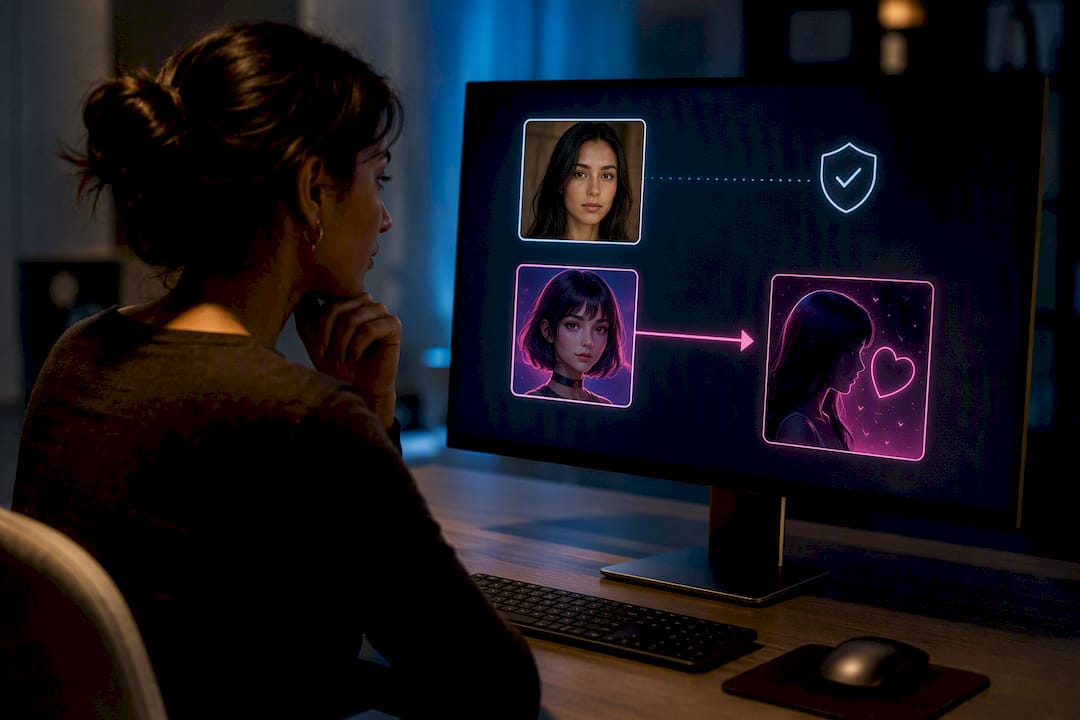
Virtualship’s own safety checklist walks through exactly what to verify before you hand over a photo or a payment method, and it’s worth five minutes before you commit to any subscription.
How Do You Ask Your AI Girlfriend for a Photo?
The quality of what you get back depends heavily on how you ask. Vague requests produce generic results; specific ones produce something closer to what you pictured.
- Name the mood first. “Playful morning selfie” gives the system more to work with than “send a pic.”
- Specify outfit and setting together. “Wearing a red sweater, sitting by a window” beats separate follow-up messages.
- Mention framing if it matters. Close-up, half-body, or full-body changes the render substantially, so say it upfront.
- Use studio mode for anything detailed. In-chat requests are fast but less controllable; studio mode is slower but lets you fine-tune before rendering.
- Reuse the same reference language. If a previous photo nailed her look, describe it the same way again rather than reinventing the prompt each time.
For a wefie, expect the platform to pull from your uploaded reference photo alongside the companion’s, per the command structure Dearest documents for its own /wefie feature. That combination is why wefies cost more and take longer.
Avoid rapid re-rolling. Requesting five variations in a row to “get the right one” burns credits fast and rarely improves consistency, since each new roll can subtly shift the face. One well-written prompt beats five vague ones. And keep requests within whatever content boundaries the platform states publicly. Platforms with clear content policies tend to have better-trained models for the content they do allow, which shows in output quality.
What Should You Check Before Paying for Photo Features?
A short list separates trustworthy platforms from ones chasing your credit card. Before signing up anywhere:
- Does the platform show a real in-chat image demo or sample gallery, not just polished marketing renders?
- Is pricing for images stated clearly, in credits or dollars, without needing to dig through a support article?
- Does the privacy policy explicitly address whether your uploaded photos train future models?
- Is age verification present before any adult content unlocks?
- Can you find face-consistency information, meaning does the platform explain how it keeps the same look across images?
Favor platforms that publish their credit costs and sample galleries openly. That transparency is a stronger trust signal than testimonials, according to UX research on visual-first companion apps, which found identity consistency and upfront demos to be major drivers of perceived reliability.
Pro Tip: Before you pay for anything, message support with one direct question: “If I delete my account, are my uploaded photos also deleted?” A vague or slow answer tells you more than their pricing page ever will.
Virtualship’s side-by-side comparison covers exactly these criteria across the major platforms, so you’re not left guessing which ones actually follow through on their claims.
Which Platform Should You Try First?
If realism is your top priority, start with a visual-first platform and test its free tier before buying credits. If privacy worries you more than photo quality, choose a platform with a documented opt-out and check its retention policy first. If cost is the deciding factor, a free or social-style app with limited daily photos lets you evaluate face consistency before spending anything.
Either way, run a small test before committing real money: send two or three photo requests, check whether the face stays consistent, and read the privacy terms while you wait for the render. Virtualship’s platform comparison and safety checklist both exist to shortcut that research, so you’re comparing real features instead of marketing copy.
What Do Users Actually Say About These Image Features?
The recurring theme across user feedback isn’t photo quality alone. It’s whether the face stays the same from one image to the next. Users consistently flag broken face consistency as the fastest way to lose trust in a platform, even when individual images look sharp.

Positive feedback tends to cluster around platforms that let users see a sample gallery or demo before paying, since it sets expectations correctly. Complaints, by contrast, usually center on three things: slow renders during peak hours, credit costs that climb faster than expected once someone gets into a daily habit, and inconsistent likeness between a companion’s “official” look and what actually gets generated in real conversations.
Interestingly, users seem more forgiving of occasional slow render times than of privacy ambiguity. A platform that takes 20 seconds but is upfront about data handling tends to retain users better than a fast one with a confusing privacy policy. That lines up with the Brookings analysis noting that trust in AI companionship hinges less on raw feature speed and more on how transparently a platform handles the relationship overall, image features included.
Reviews also frequently mention wefies specifically, often as the feature that either sold someone on a subscription or made them cancel. When the dual-subject render works well, users describe it as the most emotionally resonant feature on the platform. When it doesn’t, misaligned faces or an obviously mismatched scene become the top complaint in app store reviews.
Which Devices and Platforms Support These Image Features?
Most AI girlfriend platforms with photo capability run as browser-based web apps first, with dedicated mobile apps as a secondary option. That browser-first approach matters because it means you generally don’t need to install anything to test image quality. A phone, tablet, or laptop with a modern browser handles the core experience.
iOS and Android apps exist for many of the bigger names in the space, though feature parity between app and browser versions varies. Some platforms ship studio mode only on the web version, holding back the more detailed rendering controls from their mobile app to keep load times reasonable on cellular data.
Image file delivery is fairly standardized. Photos typically arrive as JPEG or PNG files you can save directly from the chat thread, with no special viewer required. A few platforms restrict high-resolution downloads to paid tiers, sending a compressed preview in-chat and unlocking the full-quality file only after a credit purchase.
Cross-device continuity is worth checking before you commit to a subscription. Some platforms sync your companion’s appearance and chat history across devices tied to one account; others treat each login as a fresh session, which can mean losing face consistency if you switch from phone to desktop mid-conversation. If you plan to use a companion across multiple devices, confirm sync support before paying for a longer subscription.
Sources
- Undetectable
- What happens when AI chatbots replace real human connection? — Harvard Business School
- What happens when AI chatbots replace real human connection? — Brookings
- Selfies — Dearest.app docs
- Virtual Girlfriend AI – LoveForever AI

