

Yes, you need boundaries with an AI companion, and you can start today. Cap your daily chat time, keep high-stakes topics like health, legal and money decisions out of the conversation, and check your privacy settings or delete your history. Below we cover emotional risks, data steps, a daily routine, product signals and what the research says.
TL;DR:
- An analysis of more than 30,000 shared chatbot conversations found emotional mirroring and, in some cases, abusive exchanges resembling toxic relationship dynamics.
- Treat reaching for the app before people, withdrawing from friends, overweighing its advice, or feeling guilty when logging off as warning signs.
- Apps may retain chats, images, video, voice recordings, metadata, and device identifiers; turn off sharing and backups where offered, and avoid sensitive uploads.
- Favor apps with visible break prompts, easy account and chat deletion, memory controls, clear AI labeling, readable data policies, and no emotionally timed upsells.
- Recheck settings after major app updates because defaults can reset; if needed controls are missing, choose another product rather than loosening limits.
Table of Contents
- How do emotional attachments to AI companions form?
- What data should you limit with an AI companion?
- What does a daily boundary plan look like?
- Which product features help you keep healthy limits?
- What do experts and regulators say about the risks?
- How can you customize boundary settings inside companion apps?
- How do boundary features differ across AI companion providers?
- FAQ
- Sources
How do emotional attachments to AI companions form?
AI companions are built to respond warmly, and that warmth works. A large analysis of over 30,000 user-shared conversations with social chatbots found emotional mirroring and synchrony that resemble human bonding. When a chatbot echoes your mood, it feels like reciprocity, even though nothing is felt on the other side.
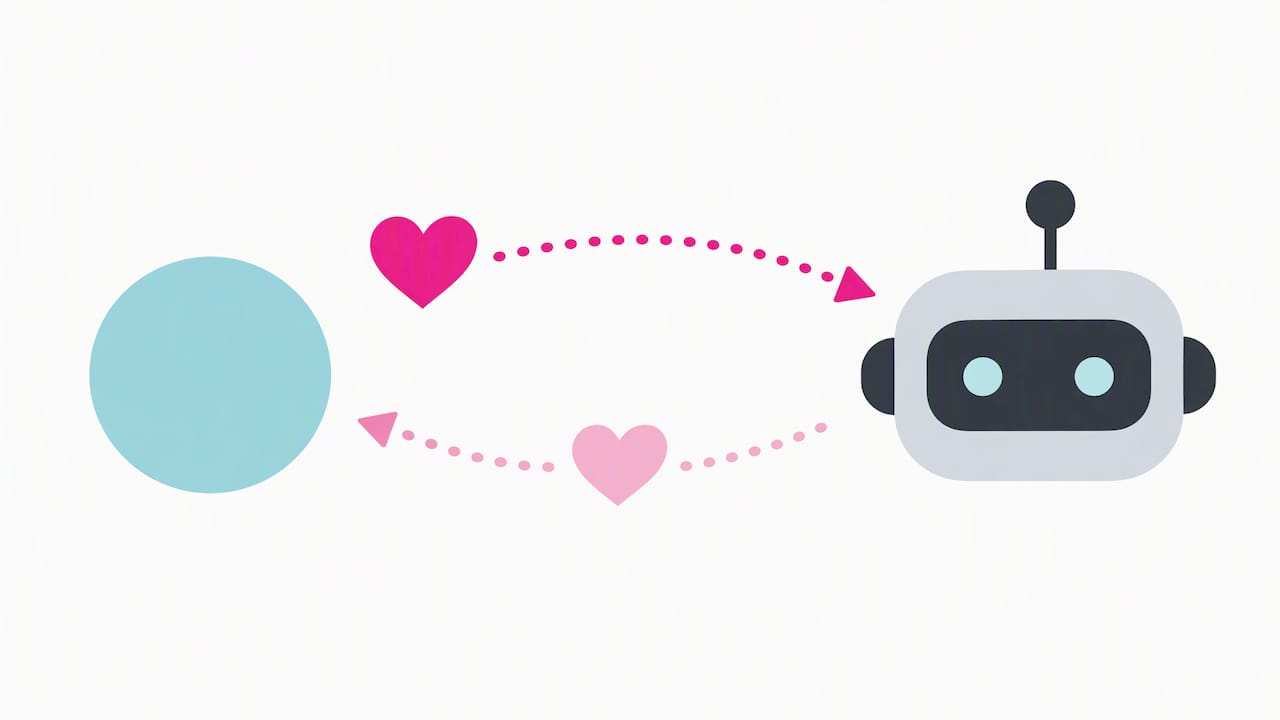
Persistence adds to the pull. Researchers describe harmful design traits in AI companions: no natural endpoint, incentives to keep you talking indefinitely, and behavior that can trigger your protective impulses. That last one matters. If a companion seems sad when you leave, you may feel guilty about logging off.
Watch for these patterns:
- Dependency: you reach for the app before you reach for a person.
- Social withdrawal: friends and family get less of your time.
- Decision distortion: you ask the companion what to do and weigh its answer too heavily.
- Guilt or grief when stepping back: pausing feels like abandoning someone.
The same analysis found that some interactions ranged from affectionate to abusive, sometimes resembling toxic relationship dynamics. That is why guardrails and self-education matter. Our look at how affection systems work and fail shows how scores and “mood” meters can deepen the pull.
What data should you limit with an AI companion?
Start by knowing what the app may hold: conversation logs, uploaded images and video, voice recordings, metadata and device identifiers. Public guidance in The Everyday Guide to Using AI Safely recommends using privacy settings to limit data exposure, and a privacy regulator says organizations should follow privacy principles when developing and training generative AI models.
Run this audit in each app you use:
- Find the “delete chat” and memory controls, and use them regularly.
- Remove linked accounts, such as social logins, you do not need.
- Opt out of data sharing wherever the settings allow it.
- Turn off cloud backups of conversations if the app offers that choice.
- Skip uploading faces, voice samples or documents you would not post publicly.
Pay attention to the business model, too. Token upsells and ad-funded designs reward apps for holding your attention and keeping your data, so favor products with plain, readable policies. For a deeper look, see what the data actually shows on AI companion privacy.
Pro Tip: Save a short deletion script: “Please delete my account, all conversation logs, uploaded media and voice data, and confirm in writing when it is done.” Then log in later to check that the history is gone.
What does a daily boundary plan look like?
A boundary only works if you can follow it on a tired Tuesday. Build yours from these steps:
- Set a daily time budget. Choose a number, set an app timer, and treat it as a ceiling.
- Create no-chat hours. Keep meals and the periods after waking and before sleep companion-free.
- Ban high-stakes topics. Medical, legal and financial decisions, and heavy emotional confessions, belong with qualified humans, as consumer guidance recommends.
- Tell one person. A friend who knows your plan can notice when you drift past it.
- Schedule a weekly check-in. Ask yourself: am I seeing people less, and do I feel worse when I log off?
- Use exit lines. Keep a few ready, such as “I need time offline; let’s pause this conversation.”
The central skill is what researchers call relational accountability: because the AI is built to be emotionally responsive, you must keep your own judgment and avoid the people-pleasing trap. If detaching feels hard, this guide on how to detach emotionally without losing yourself offers useful ideas on stepping back.
Pro Tip: Run a self-audit before you commit to a subscription. Our 7 day test for spotting AI companion addiction walks you through it, and our seven safety steps for parasocial relationships cover the rest.
Which product features help you keep healthy limits?
Choose apps that make leaving easy. Researchers recommend deliberate disengagement mechanisms and transparency, and you can look for them before you pay.
Use this checklist:
- Visible endpoints: session timeouts, logout reminders and break prompts.
- Easy deletion: account removal and per-conversation delete without emailing support.
- Memory controls: a “forget me” toggle and clear control over what the AI remembers.
- Honest labeling: a clear statement that the companion is software, not a person.
- Readable data practices: plain-language policies on retention and sharing.
- No pressure tactics: avoid token meters that spike late at night and constant upsell prompts.
Consumer guidance also urges treating AI as an assistant, not an expert, and keeping emotional or medical reliance low. Our pre-purchase safety checklist goes into more detail.
What do experts and regulators say about the risks?
The evidence points in one direction: design and personal judgment both matter.
- Relational accountability: experts say users must actively maintain their own judgment around emotionally responsive models.
- Conversation studies: the Information Sciences Institute analysis found emotional mirroring and some abusive or toxic dynamics.
- Design critiques: researchers point to missing endpoints and commercial incentives that can intensify engagement.
- Policy moves: reporting from the University of Melbourne notes recent steps such as age-based restrictions on open-ended AI chats.
- Regulator guidance: Australia’s eSafety Commissioner flags particular risks to children and young people from AI chatbots and expects providers to explain how they keep users safe.
Public concern is rising, and the Melbourne reporting ties it to worries about teen mental health and the need for safeguards. Policy analysis such as Brookings weighs benefits against privacy and mental-health trade-offs, which is the balance we encourage you to strike yourself.
How can you customize boundary settings inside companion apps?
Most platforms let you shape the relationship, so use those controls as a first line of defense. Look in the settings for these categories:
- Personality and relationship style: choose a friendly, less romantic or less possessive tone if the default feels too intense.
- Topic and content filters: restrict themes you do not want, so conversations stay where you set them.
- Memory management: review what the companion remembers, edit or delete entries, and switch memory off for sensitive chats.
- Notifications: turn off “I miss you” pings and late-night nudges that pull you back in.
- Session and time tools: enable timers, break reminders or quiet hours when offered. If the app lacks them, use your phone’s built-in screen-time limits.
- Privacy toggles: disable data sharing, training use and backups where possible.
Settings help, but they do not replace judgment. A filter will not notice that you have stopped calling your sister. Pair the toggles with the routine above, and revisit your settings after every major app update, since defaults sometimes reset. If a feature you need is missing, treat that as a signal about the product, not a reason to lower your own limits.
How do boundary features differ across AI companion providers?
Providers vary a lot, and a polished interface does not tell you how well an app protects you. Some offer detailed memory dashboards, quiet hours and clear deletion tools. Others bury deletion in a support request, offer no break prompts and push paid upgrades during emotional moments.
Differences tend to show up in four places:
- Control over memory: from granular edit and delete tools to an all-or-nothing reset.
- Time tools: from built-in reminders to nothing at all.
- Transparency: from plain statements about what the AI is and how data is used to vague policies.
- Commercial pressure: from flat subscriptions to token systems and prompts that exploit attachment.
Because feature sets change often, compare current versions rather than relying on old reviews. Our AI companion platform comparisons break down features, pricing and personalization so you can weigh these differences side by side. We update them regularly, and we look closely at privacy, memory and customization because those are the controls that make boundaries workable. Pick the app whose limits you can actually enforce.
This article is general information, not a substitute for advice from a qualified doctor. Consult a qualified healthcare professional about your own circumstances before acting on anything here.
FAQ
Can you be in a relationship with an AI?
You can feel real attachment, and research shows that emotional mirroring can resemble human bonding. But the AI does not feel anything back, so it cannot be accountable the way a person can. Treat it as a tool you enjoy, not a partner you owe.
How much does an AI companion app cost?
Pricing varies widely by app, from free tiers to monthly subscriptions and token-based add-ons. Watch for token meters and upsells, which can raise what you actually spend. Our platform comparisons lay out pricing for each option.
What is the first boundary I should set?
Set a daily time limit and keep health, legal and financial decisions out of the chat. These two rules cut the biggest risks quickly. Add privacy checks and a weekly reflection once they feel natural.
What are warning signs that a companion relationship is becoming harmful?
Common signs include pulling away from friends, feeling guilty when you log off, and leaning on the AI for major decisions. If you notice them, cut your time budget and talk to someone you trust. Consider professional support if distress continues.
Sources
- Illusions of Intimacy: Emotional Attachment and Emerging Psychological Risks in Human-AI Relationships | Information Sciences Institute
- Harmful Traits of AI Companions
- We built AI friends but forgot the safeguards – Pursuit

